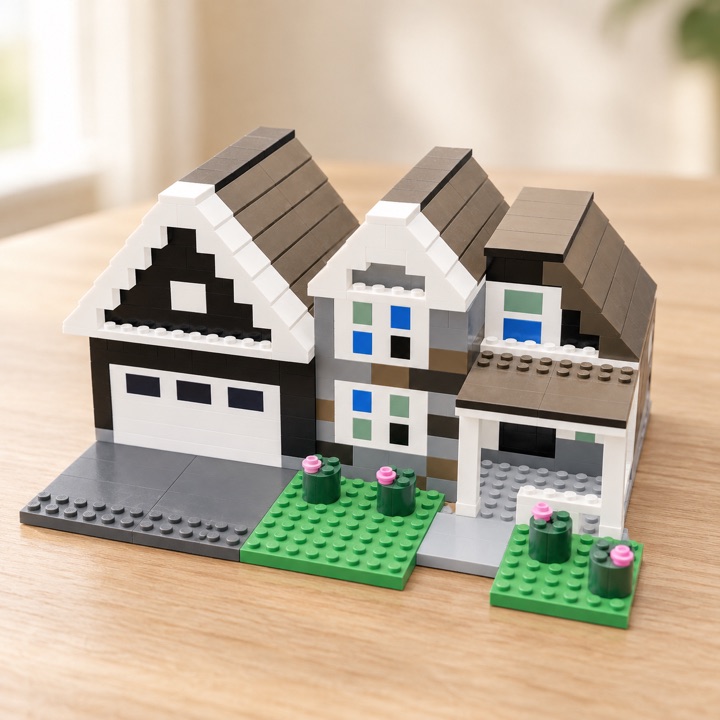
Single Photo Mosaic
$9.99 one-time
1 photo mosaic generation
32×32, 1,024 flat 1×1 tiles: a brick picture about 25.6 cm (10 in) square.
- Instructions + LEGO upload list
- Build it for real.
- Bricks purchased separately.
Design in 3D · Build with real bricks
Brick Bot, our AI builder, turns a typed idea or a photo into a 3D brick model, with step-by-step instructions and the exact LEGO® parts list.
Brick Bot turns your idea or photo into a 3D brick model, with step-by-step instructions and the exact LEGO® parts list.
 Instruction bookletBooklet71 steps71 steps
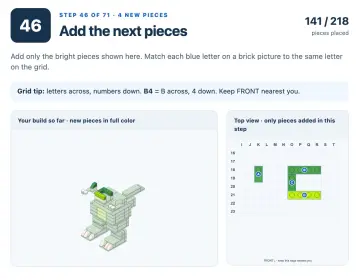 A booklet stepA stepStep 46 of 7146 of 71
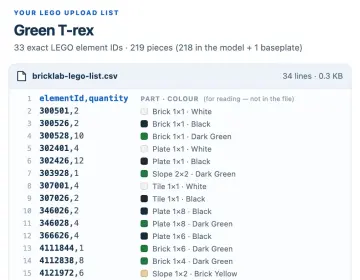 LEGO® upload listLEGO list33 element IDs33 IDs
What you get with every AI build
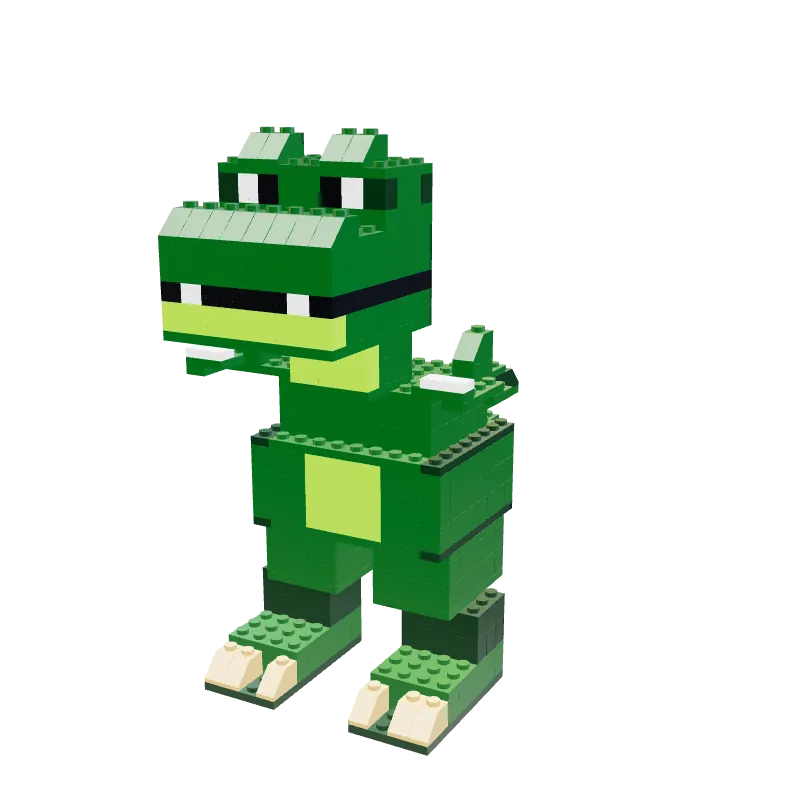
Each paid AI build comes with a step-by-step booklet and the exact LEGO list, so you can build the model for real. Below: two real Brick Bot designs, the real files Brickoodle made for them, and an AI visualization of each one finished.
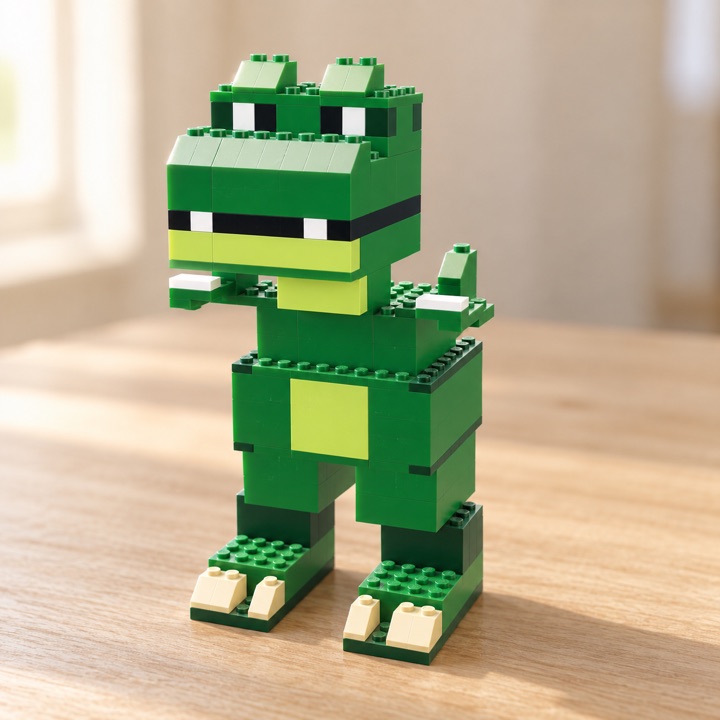 Made from this real 3D designThe real 3D design
Green T-rex · a real Brick Bot design
A cover, a picture parts list, then steps of up to four new pieces with a lettered grid map that shows where each one goes. It’s a downloadable HTML booklet: print it, or save it as a PDF from your browser.
33 LEGO element IDs with quantities as .csv or .json, including a matching 32×32 baseplate when LEGO sells one, ready for Upload List at LEGO Pick a Brick.
You upload the list at LEGO Pick a Brick, review the matches and pay LEGO directly. The Studio shows an estimated LEGO.com total first. Brickoodle never sells or ships bricks.
Physical bricks are not included. Colors, prices, and stock may vary. AI-generated designs haven’t been physically tested and may need small adjustments to stand up.
Real files Brickoodle generated for the Green T-rex: the booklet cover, step 46 of 71, and its LEGO upload list (rendered, with part names added for reading).
6141590,4Plate 2×4 · Bright Green6300148,14Slope 1×2 · Bright Green6310856,64Brick 1×4 · Bright GreenThe biggest line: 64 of one brick6343280,10Brick 1×3 · Bright GreenHow Brick Bot works
Type what you want or pick a photo. Brick Bot designs a 3D model you can turn around, plus its instructions and LEGO list. Every clip below is the real Studio, with the AI steps sped up.
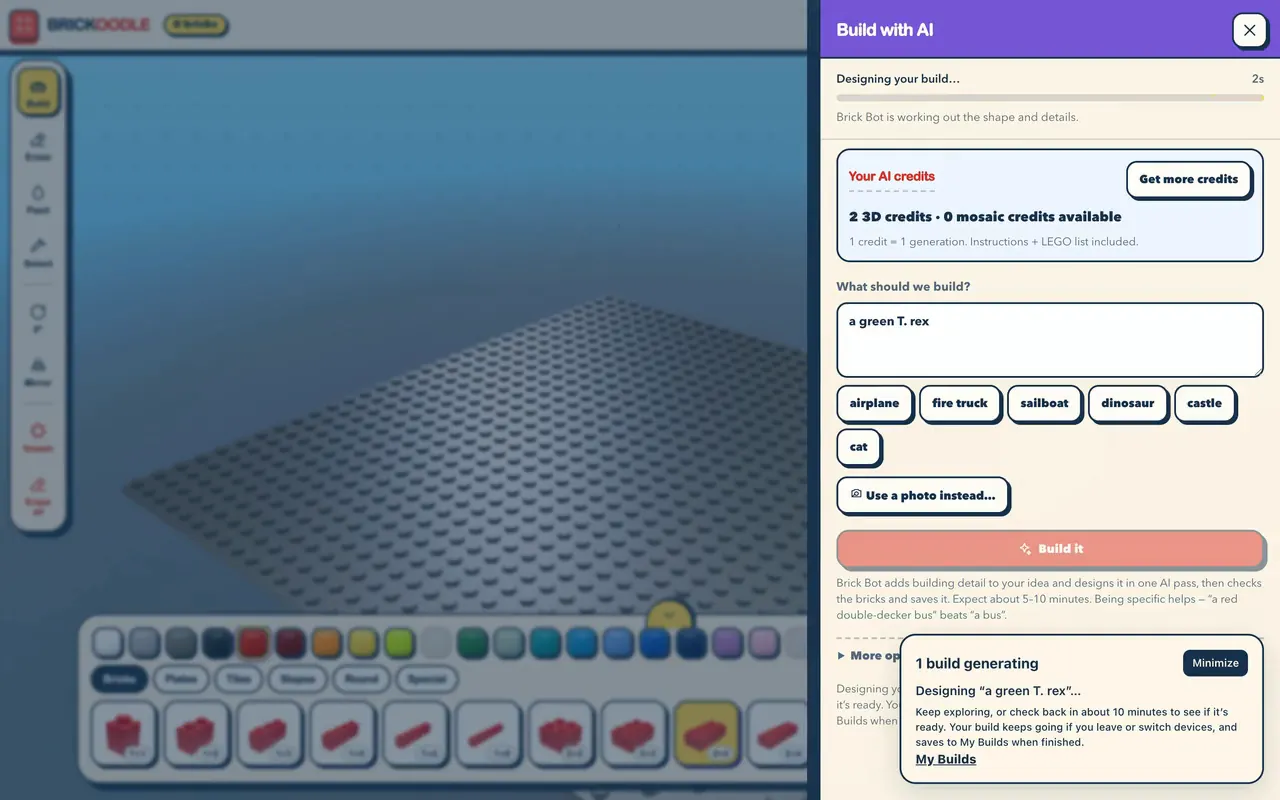
Open AI Build in the Studio and type what you want. Specific beats vague: “a red double-decker bus” beats “a bus”. Prefer a picture? Tap Use a photo instead…
Real Brickoodle Studio · example idea · sped up · credits shown = after buying a 3D Design Pack
In one AI pass, Brick Bot plans your model from real-size parts in colors LEGO.com sells. Every brick is checked to sit on studs, and the build saves to My builds. If the Studio is open when it finishes, a typed idea plays back piece by piece.
Real Brickoodle Studio · example idea · real Brick Bot build (Green T-rex) · the real assembly replay · wait cut, sped up · credits shown = after buying a 3D Design Pack
Check the piece count and size, then Accept build. Not quite right? Try again lets you start a new build, which uses another credit. If a build fails, its credit comes back automatically.
Real Brickoodle Studio · example idea · real Brick Bot build (Green T-rex, 218 pieces) · real review screen · credits shown = after buying a 3D Design Pack
Tap Get instructions + LEGO list to download the booklet and the LEGO list, then open LEGO Pick a Brick. The panel shows an estimated LEGO.com total for the bricks before you go.
Real Brickoodle Studio panel · paid state simulated for this demo · example idea · Green T-rex · credits shown = after buying a 3D Design Pack · LEGO prices are estimates, paid to LEGO.com separately
An accepted build is a normal Studio build: turn it, repaint bricks and add more with the free tools. The included files match the version Brick Bot made; files for a changed build come with a $14.99 Design Pack.
Real Brickoodle Studio · the accepted AI build (Green T-rex) changed with the free tools
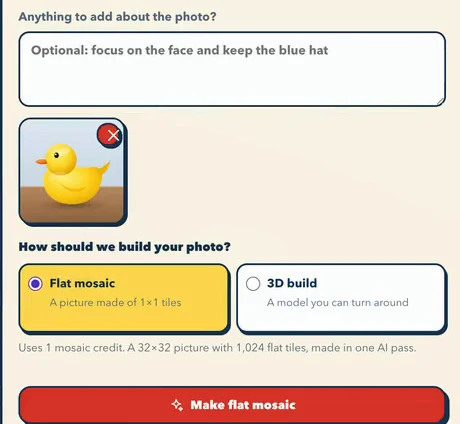
Start from a photo
Snap or pick a picture on your phone, tablet or computer. In the Studio, you then choose how Brick Bot builds it:
A flat brick picture about 25.6 cm (10 in) square: your subject plus a simplified background, with all 1,024 studs covered by 1×1 tiles. Uses 1 mosaic credit.
A model you can turn around, up to 500 pieces. Brick Bot imagines the sides your photo doesn’t show. Uses 1 3D credit.
Either way it’s one AI pass, with the instructions and LEGO list included. Photo builds load when they’re ready; only typed ideas play back.
The free Studio
A real 3D brick studio in your browser. Every brick is true LEGO size, in a color LEGO.com sells, and clicks onto studs, so nothing floats. Free: you just need a free account.
Start buildingfree accountFree account: an email and a password (you confirm your email), no card.
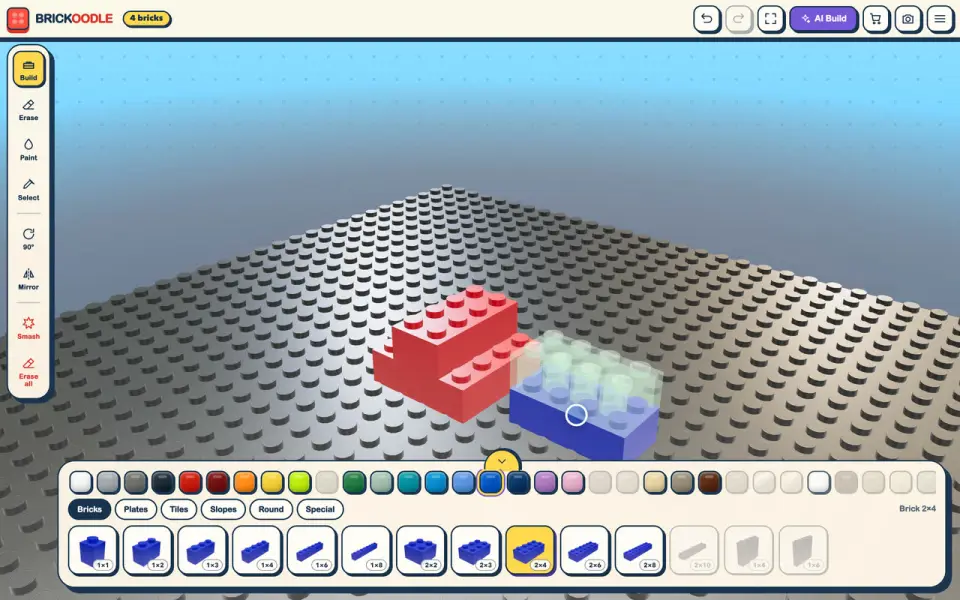
A see-through preview shows where your brick will land. Tap, and it clicks onto the studs.
Real Brickoodle Studio · build by hand, free with a free account
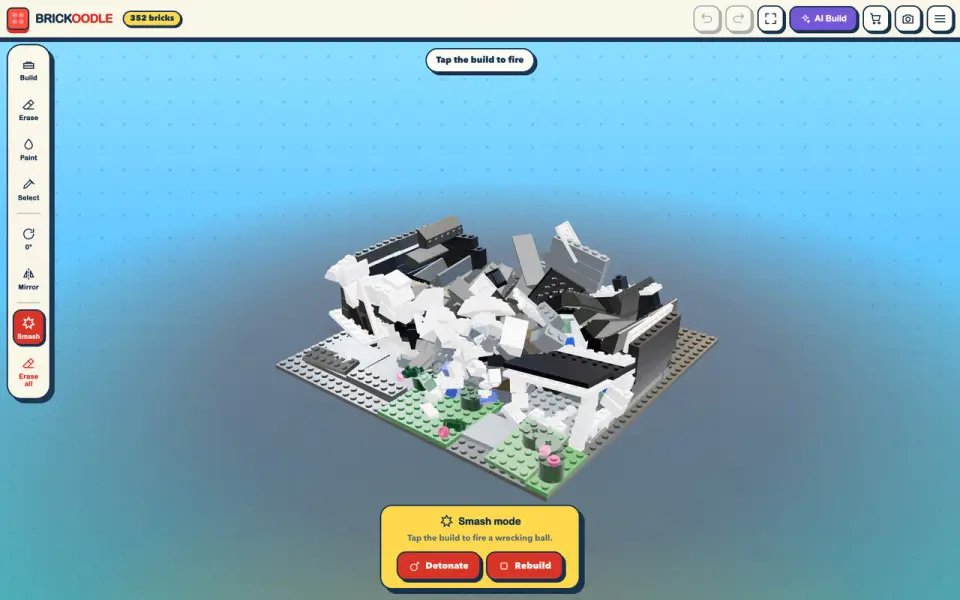
Fire a wrecking ball or hit Detonate. Rebuild snaps every brick back, and your saved build is never harmed.
Real Brickoodle Studio · Smash mode (wrecking ball, Detonate, Rebuild), free with a free account
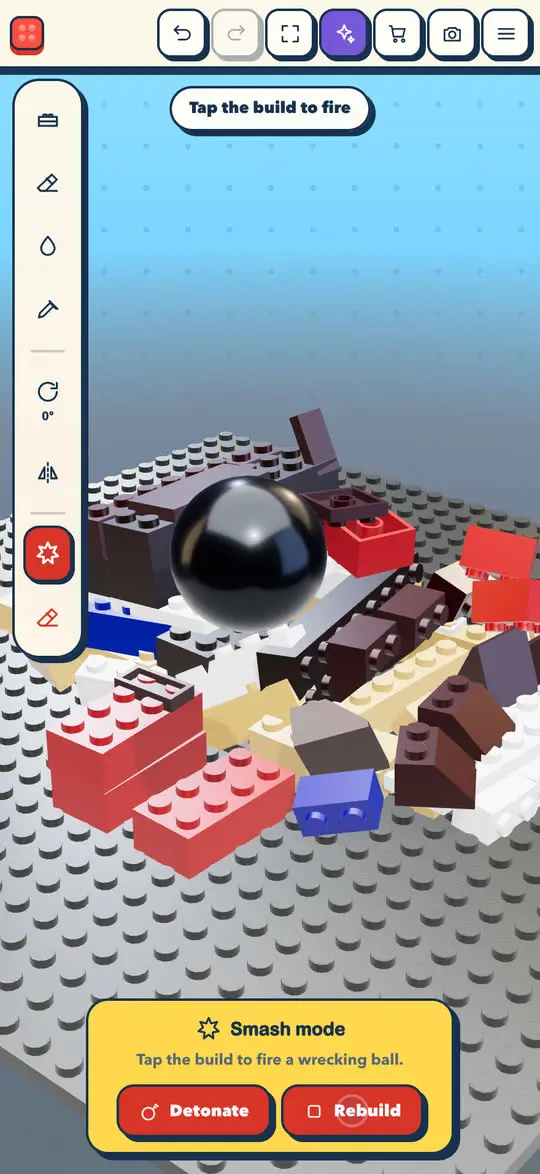
Build by touch, then smash and rebuild. Computer, tablet or phone: your builds save to your account.
Real Brickoodle Studio on a phone · build by touch + Smash mode, free with a free account
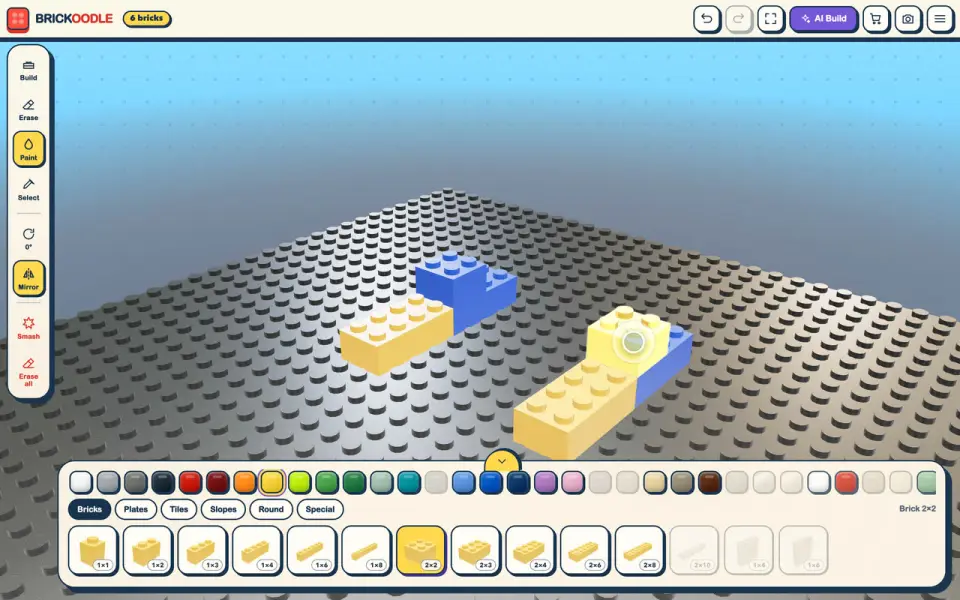
Recolor any brick. Mirror places a matching twin across the center line.
Real Brickoodle Studio · Mirror and Paint, free with a free account
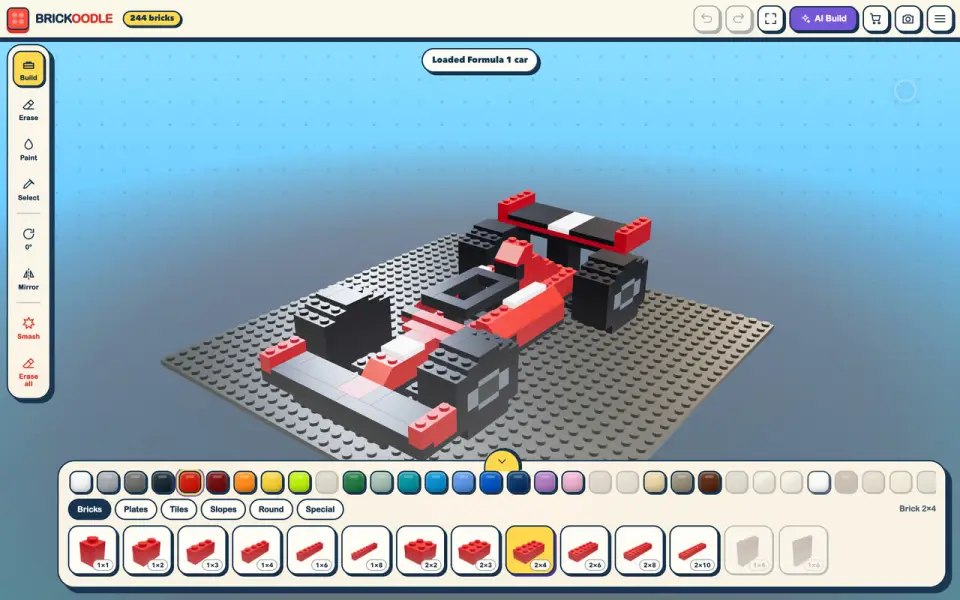
Load a race car, a house, a T. rex and more from the Workshop, then remix it.
Real Brickoodle Studio · Workshop → Starter builds (7 ready-made builds)
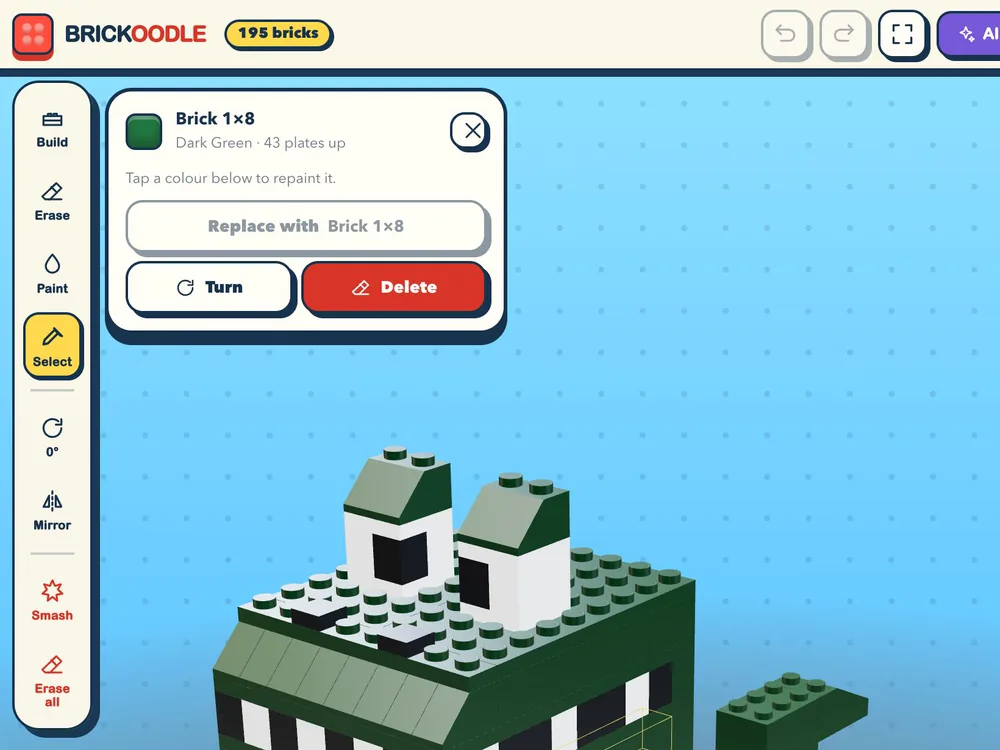
Select any brick to repaint it, turn it, swap it or delete it. Oops? Undo it.
Real Brickoodle Studio on iPad, zoomed in · Select on the Rex the T. rex Starter build
Want a booklet and LEGO list for something you built by hand? Files for that exact saved build come with a $14.99 3D Design Pack.

Pricing
One-time AI packs, no subscription. One credit makes one AI build, and every AI build comes with its instructions and LEGO upload list.
Typed ideas and 3D models: 3D Design PackFlat photo pictures: Photo Mosaic packs
$9.99 one-time
1 photo mosaic generation
32×32, 1,024 flat 1×1 tiles: a brick picture about 25.6 cm (10 in) square.
For typed ideas + photo to 3D
$14.99 one-time
3 3D generations
Typed ideas or photos, up to 500 pieces each. Every build gets a booklet and LEGO list like the T-rex above. About $5 a build.
AI-generated designs may need adjustments for real-world stability.
Get the 3D Design Pack$14.99 one-time
2 photo mosaic generations
32×32, 1,024 flat 1×1 tiles each, about 25.6 cm (10 in) square.
Already bought a 3D pack? Add 2 more 3D generations for $9.99. Add a top-up
All prices in USD, one-time, paid by card through Stripe. No subscription. New accounts start with 0 AI credits. One AI pass per generation; a new attempt uses another credit, and a failed generation returns its credit automatically. Built something by hand, or changed an AI build? Files for that exact saved build come with a 3D Design Pack for $14.99, which also adds 3 3D credits. Physical bricks are not included: buy them separately from LEGO.com. Colors, prices, and stock may vary. See Terms.
FAQ
Ready when you are
Build by hand for free, then bring in Brick Bot when you want it to design something.
Start buildingfree account 3 AI builds for $14.99Building by hand in the Studio is free: Build, Paint, Mirror, Undo, Starter builds and Smash mode. You need a free account. Brick Bot, the AI builder, uses one-time AI packs.
Not right now. New accounts start with 0 AI credits. 3 AI builds (3D) are $14.99; a single photo mosaic is $9.99.
About 5–10 minutes per build. It keeps working if you close the tab or switch devices, and the finished build is saved to My builds.
It depends on the build, and LEGO sets the price. With the files, the Studio shows an estimated LEGO.com total: for the 218-piece Green T-rex it was $43.11 at 6 September 2026 prices. You see the matches and the real price at LEGO Pick a Brick before you pay LEGO.
No. Brickoodle never sells or ships bricks. You get the instructions and an upload list of exact LEGO element IDs. You upload it at LEGO Pick a Brick, review it and pay LEGO directly.
A downloadable HTML booklet: a cover, a picture parts list, then steps of up to four new pieces with a lettered grid map. Print it, or save it as a PDF from your browser.
A finished build uses its credit, even if you discard it, and Try again starts a new build with another credit. If a build fails, its credit comes back automatically. If your files are wrong or your credits don’t arrive, we’ll fix it or refund you (see Terms, section 5).
Not by chatting with it: Try again starts a new build with another credit. Once you accept a build it’s a normal Studio build you can change with the free tools. The included files match the version Brick Bot made; files for a changed version come with a $14.99 Design Pack.
Every brick sits on studs, but AI-generated designs haven’t been physically tested and may need small adjustments or extra supports.
There’s no chat, no public gallery and no sharing: builds are private to the account. A grown-up creates the account and makes any payment.
An email and a password of at least 15 characters, and you confirm your email before you first sign in. No card for the free account.
Each paid build comes with a LEGO Pick a Brick upload list (.csv or .json of LEGO element IDs), and the free Studio saves PNG screenshots. There’s no 3D-file export. The Studio has 46 parts in 33 colors, with no wheels, windows, hinges, minifigures or Technic.
A computer, tablet or phone, in the web browser. Your builds save to your account.
No. Brickoodle is independent and isn’t sponsored, authorized or endorsed by the LEGO Group.
Build free in the Studio today. When you want Brick Bot to design something, 3 AI builds with instructions and LEGO lists are $14.99.
Free account needed · AI packs are one-time · bricks are bought separately from LEGO.com.